
 RevealWeb
|
Contents
|
Overview
Web 2.0 data entry interface to REVEAL archaeological database
Requirements
- WAMP/LAMP stack.
- Apache 2 on Windows/Linux Although any web server supporting php should do.
- PHP 5.2+
- Client Browser's Supported We use some HTML5 so newer browsers are recommended
- FireFox 3.6+
- Chrome 16.0+
- IE is not supported.
Windows Installation
- WAMP Download We recommend using WAMP but any windows LAMP stype stack will do.
- Download your 32 or 64 bit install script here. Feel free to bypass the form and select the download directly link
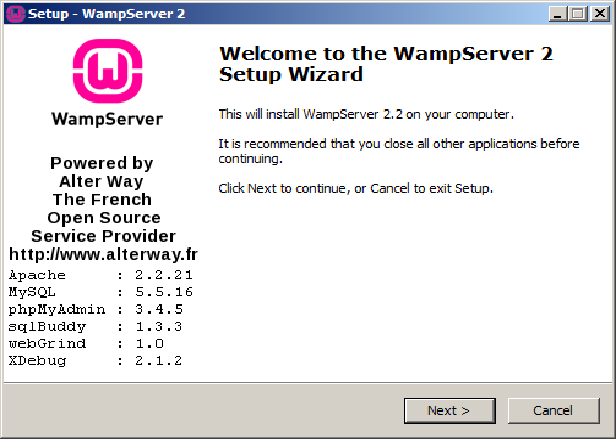
After opening the downloaded program you should see the screen below.
Select Next Accept the Agreement and get the following screen.
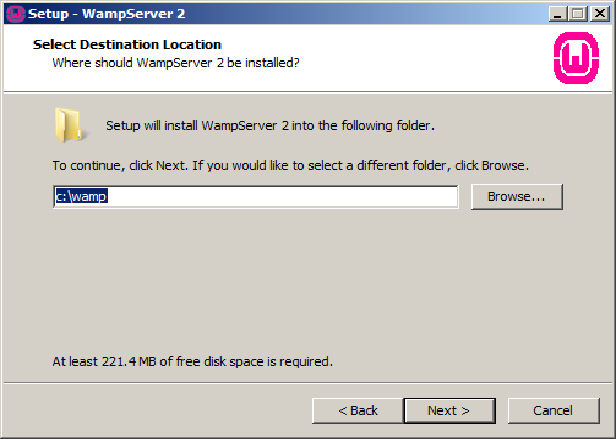
For support reasons accept the default c:\wamp
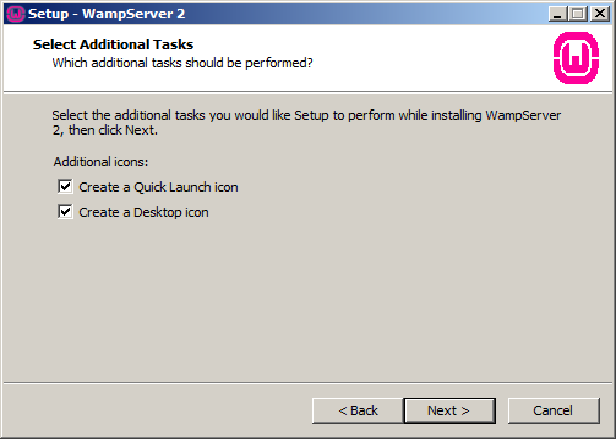
- Accept default settings from previous screens and select Install
- You should now see the WAMP
 icon in the bottom right toolbar on your desktop.
If so you have successfully configured the WAMP ssever. Now test.
icon in the bottom right toolbar on your desktop.
If so you have successfully configured the WAMP ssever. Now test.
- WAMP Test
- Now we will perform some basic testing before installing RevealWeb click on the icon.
- Clck on Localhost at the top of the menu. If you already have a browser open you can just enter 'localhost'
- Finally go to the main menu and select Restart All Services
- PHP Configuration
We need several several extentions activated for RevealWeb we start by clicking the WAMP
icon.We need to now enable php_curl and php_exif You may need to select them individually.
php_curl is needed for uploading 3d models remotely.
php_exif is needed for uploading images into the database
Now comes some manual editing. This may go away with our upcoming install kit, but for now
This will aid us in trouble shooting but feel free to relocate.


The following menu should appear. From this screen you can start/stop and configure your all WAMP services.

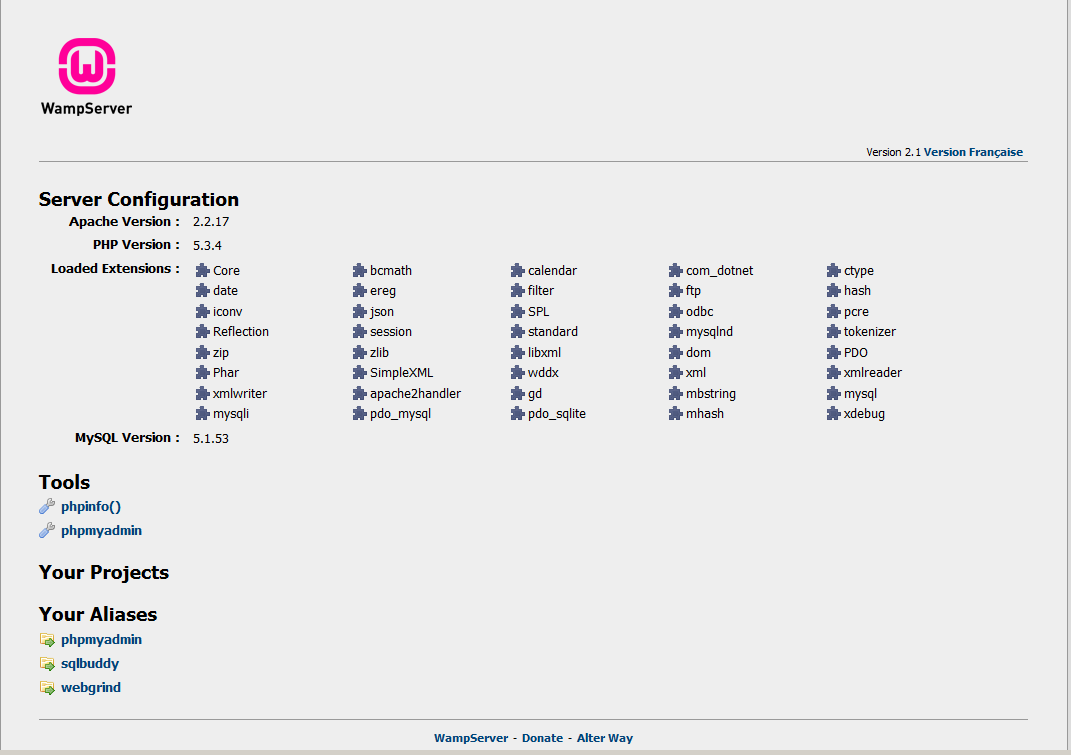
You should see screen below appear, if so the web server is working ok.
The icon should go from green to red  to orange
  back to green
If so all appears ok. We can now configure PHP
From the menu choose PHP -> PHP Extentions the following menu should appear.
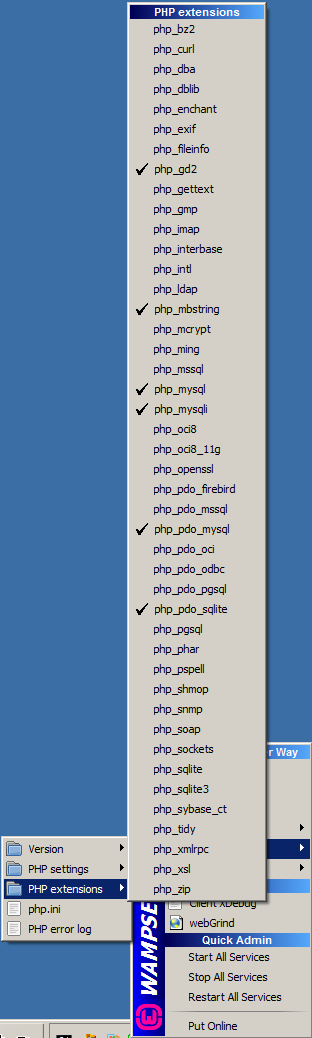
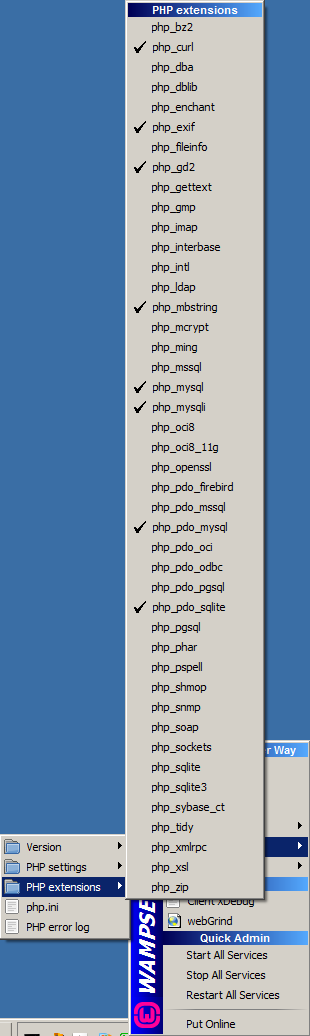
The menu should now reflect php_exif and php_curl checked off.
Open the WAMP menu icon and select PHP -> php.ini The screen below should show.

At this point a popup Notepad window should appear, we will need to edit the following entries.
Since we deal with larger files let's make our maxes at least 1G
Url post size From:
post_max_size = 8M
To:
post_max_size = 1000M
Disk upload size From:
upload_max_filesize = 2M
To:
upload_max_filesize = 1000M
We now need to move extension=php_exif.dll after extension=php_mbstring.dll to fix the brain dead PHP install.
            extension=php_curl.dll
            ;extension=php_dba.dll
            extension=php_exif.dll
            ;extension=php_fileinfo.dll
            extension=php_gd2.dll
            ;extension=php_gettext.dll
            ;extension=php_gmp.dll
            ;extension=php_intl.dll
            ;extension=php_imap.dll
            ;extension=php_interbase.dll
            ;extension=php_ldap.dll
            extension=php_mbstring.dll
Should now look like this.
            extension=php_curl.dll
            ;extension=php_dba.dll
            ;extension=php_fileinfo.dll
            extension=php_gd2.dll
            ;extension=php_gettext.dll
            ;extension=php_gmp.dll
            ;extension=php_intl.dll
            ;extension=php_imap.dll
            ;extension=php_interbase.dll
            ;extension=php_ldap.dll
            extension=php_mbstring.dll
            extension=php_exif.dll
Now restart all services
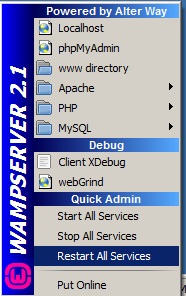
If we get the green icon back we are Ready to install RevealWeb
Since the WAMP server is working the RevealWeb initial installation involves three simple steps to get going
- Download and unzip the revealWeb source.
- Import the database schema.
- Rum some simple test tasks
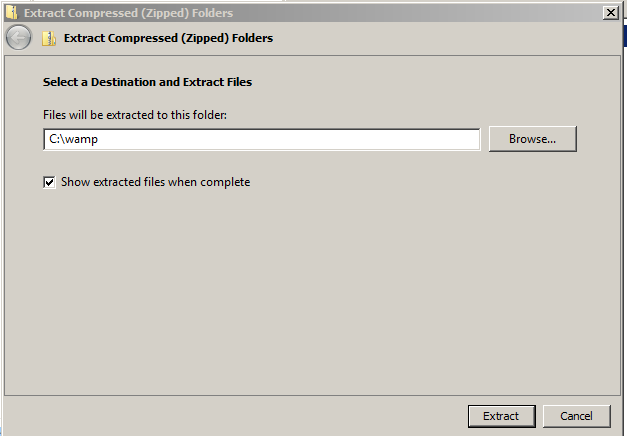
You will select Extract all and point it into wherever you installed WAMP in our case c:\wamp
It's working

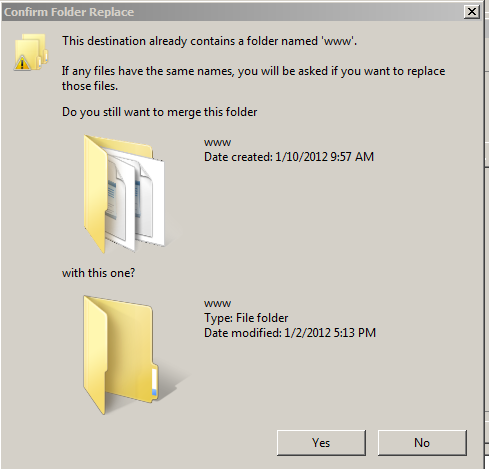
If it's a new install just say Yes.
The Reveal install should be done. Now just install RevelWeb and import a database.
